Skip to content
I01 / 06
3-CUSHION CAROM SIMULATOR

Three-cushion billiards training app Free in your browser.

Build a three-cushion or free-carom position, tune the full cue contact, compare practical shot families, replay the result and keep a local practice record. The calibrated simulator is a training reference—not a guarantee for a real table.

No login Free to use · no account PWA installable
What’s new One practical solver for three-cushion and free carom Read the release
II02 / 06
II.Three foundations
01
Engine

Calibrated training physics

A physics-based 2D training model for ball, cushion, spin and cloth response. Performance varies by device, browser and scene.

02
Solver

Brute-force solver

No machine learning. One Physics V3 search follows the active three-cushion or free-carom rule, evaluates direct, cushion and elevated stroke families, removes duplicates and orders the portfolio from easy and stable to demanding and risky. Real-table measurement status remains clearly disclosed.

03
Vision

Photo alignment

Local classical vision suggests corners and balls. Review and edit every point before transfer; use full manual placement if needed. No machine learning or accuracy guarantee.

III03 / 06
III.Inside the app

A look at the table

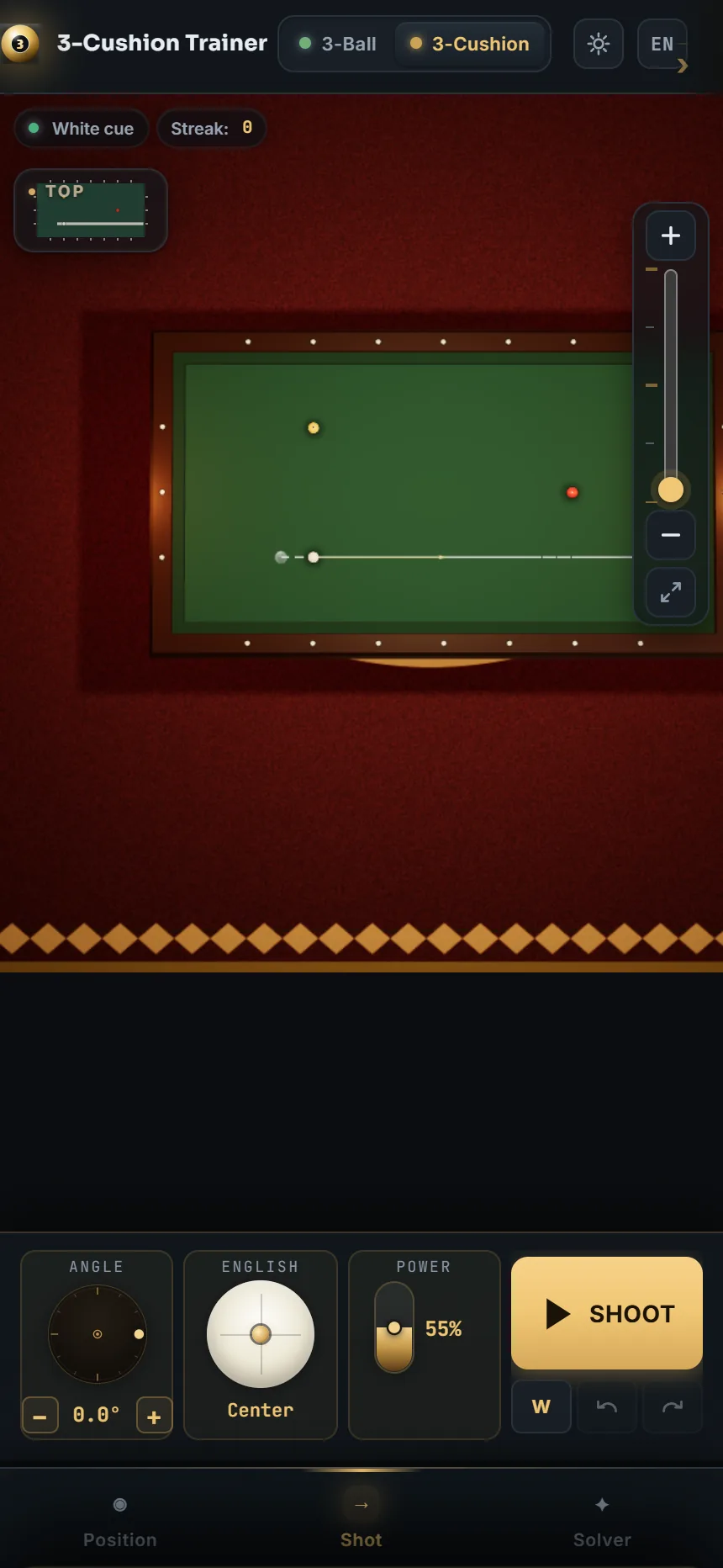
Captured from the running simulator — no renders, no mockups. Click the simulator above to use any of these tools.
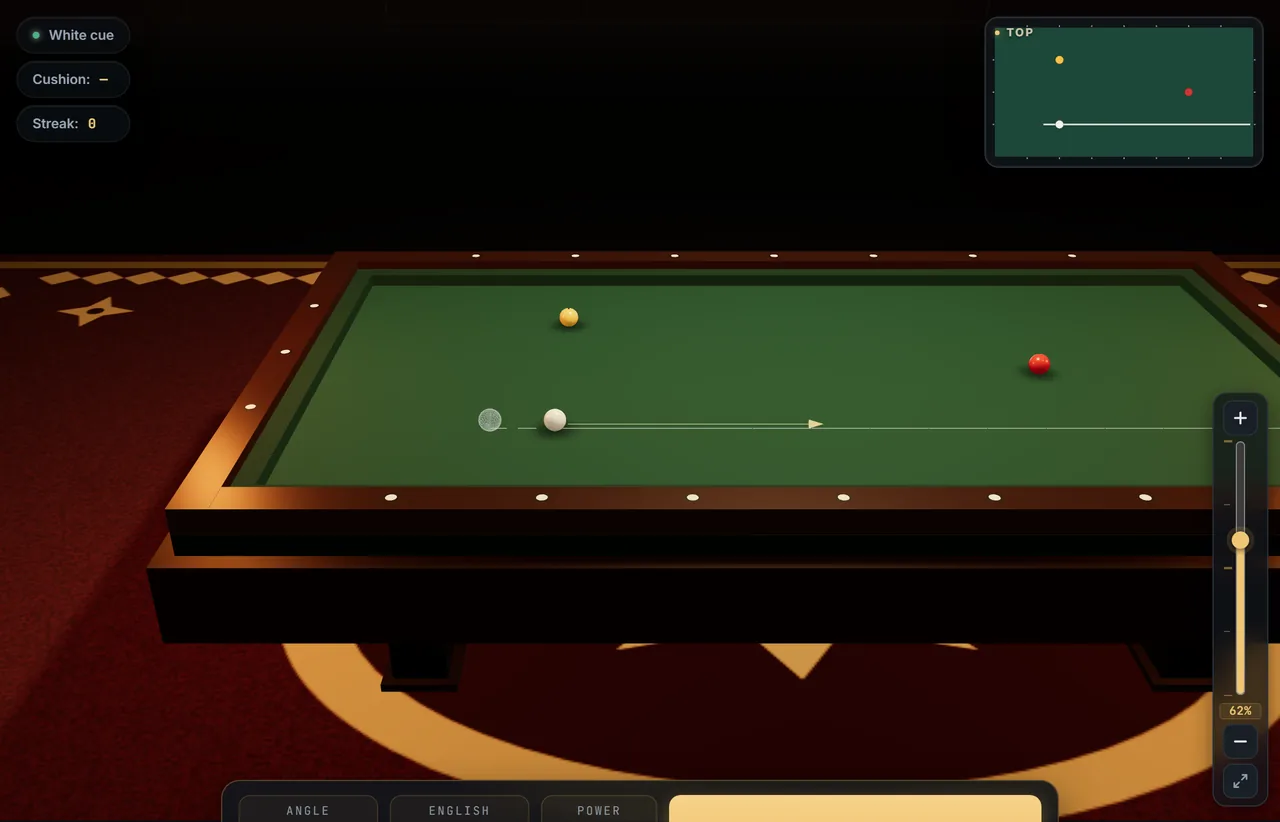
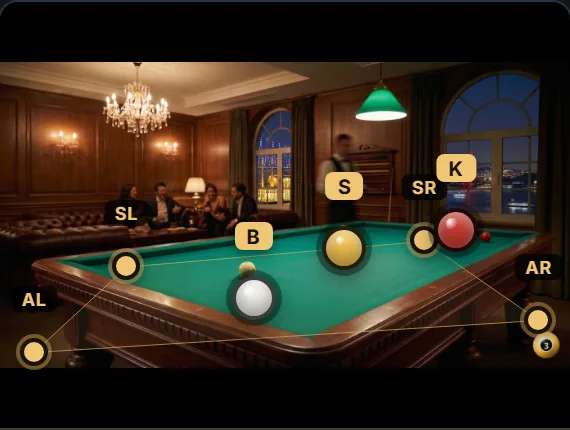
01 3D table — 3ball.app
3D table Brass diamond inlays, beveled cushion, cloth weave. Pan, orbit, zoom — full WebGL.
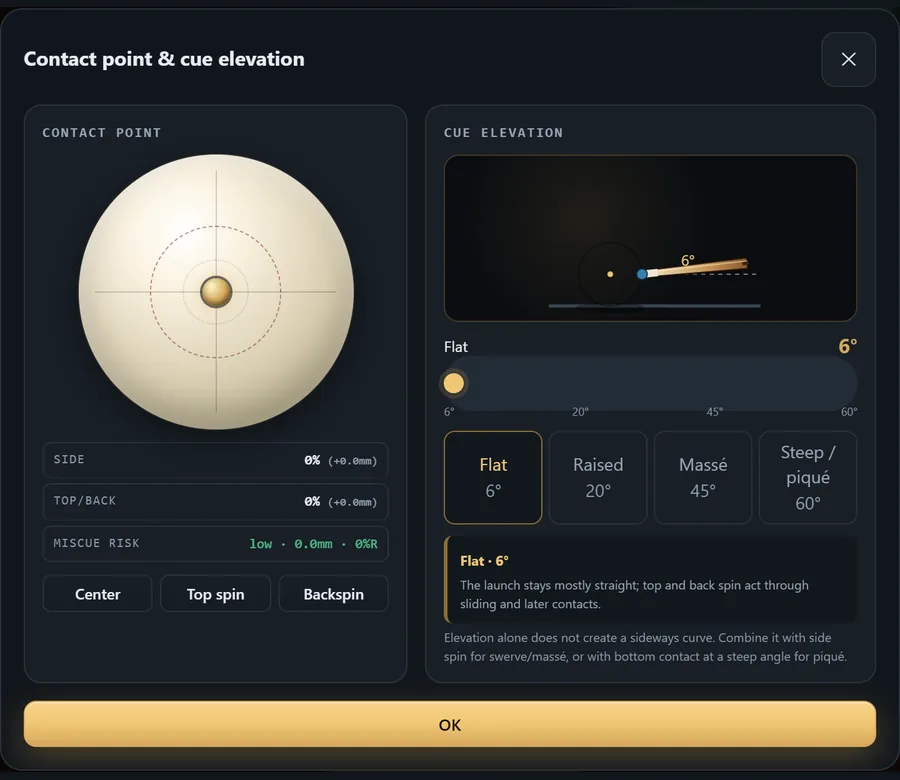
02 Shot controls — 3ball.app
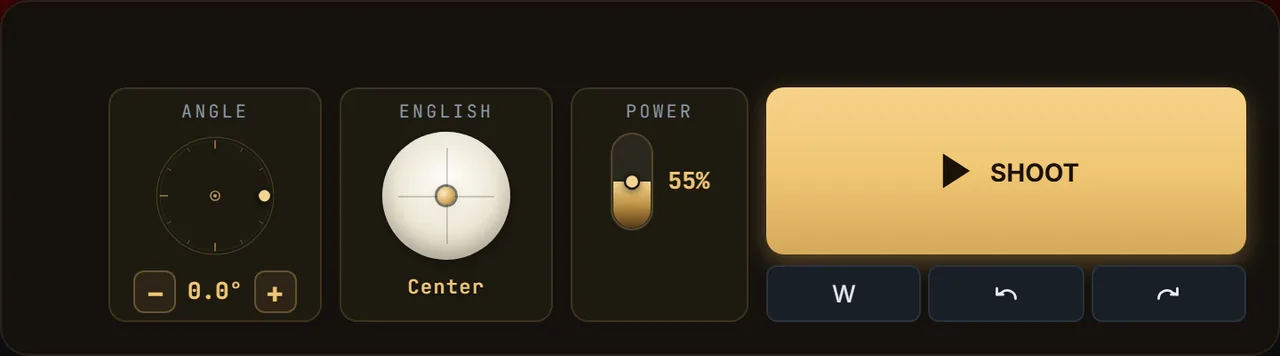
Shot controls Angle, power, side/top contact, 6°–60° cue elevation and the miscue envelope in one control. Mouse, touch and keyboard fine-tuning use the same values.
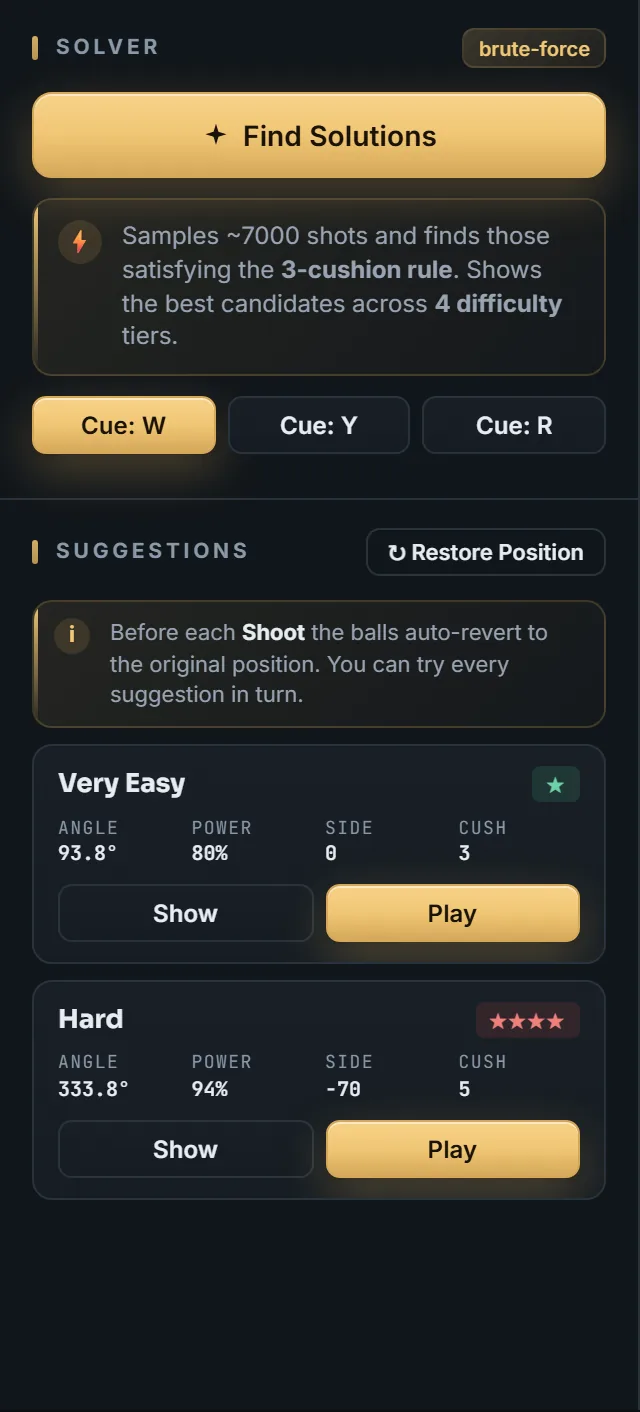
03 Computational solver — 3ball.app
Computational solver One search, the active rule and a diverse portfolio: direct, cushion-first and—when useful—massé/piqué candidates ordered from practical to demanding.
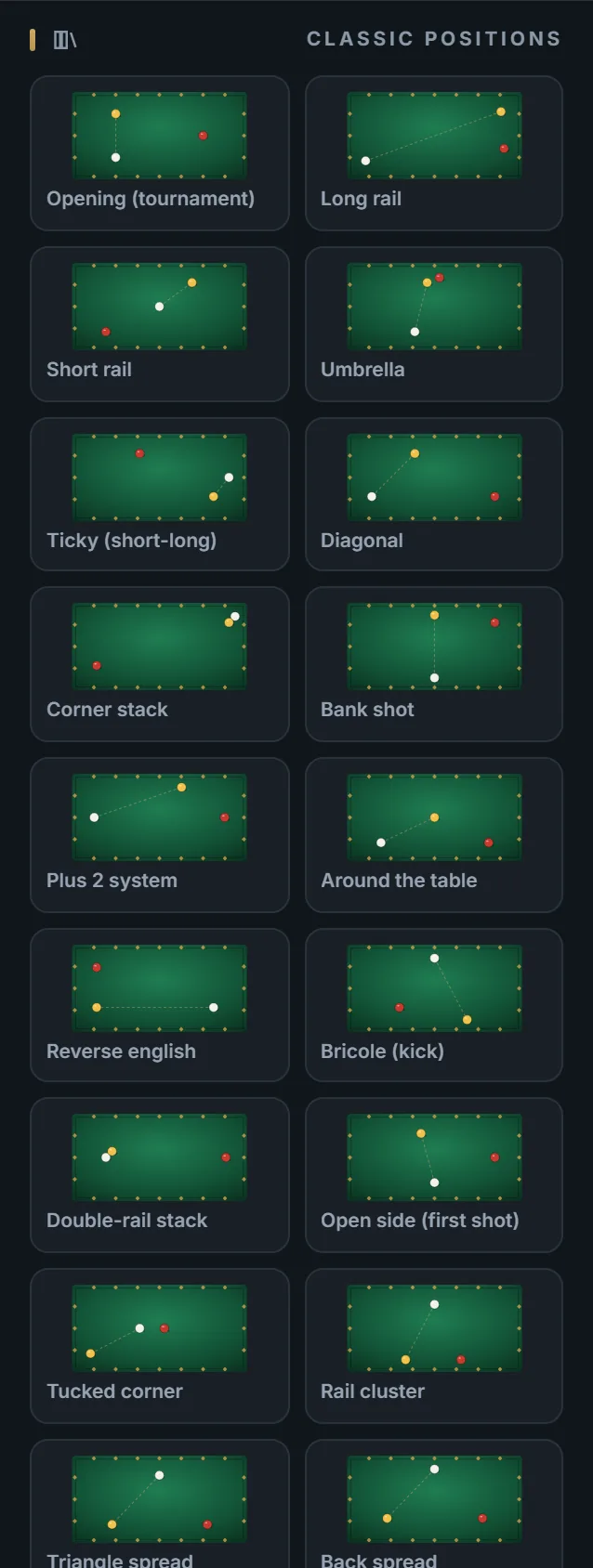
04 Position library — 3ball.app
Position library Classic positions (ticky, umbrella, around-the-table) loaded with one tap.
05 Photo to position — 3ball.app
Photo to position Review local corner and ball suggestions, adjust every point as needed, then transfer the approved layout.
06 Physical stroke controls — 3ball.app
Physical stroke controls Angle, power, side/top contact, cue elevation and a visible miscue boundary share one desktop/mobile contract.
07 Personal and shareable — 3ball.app
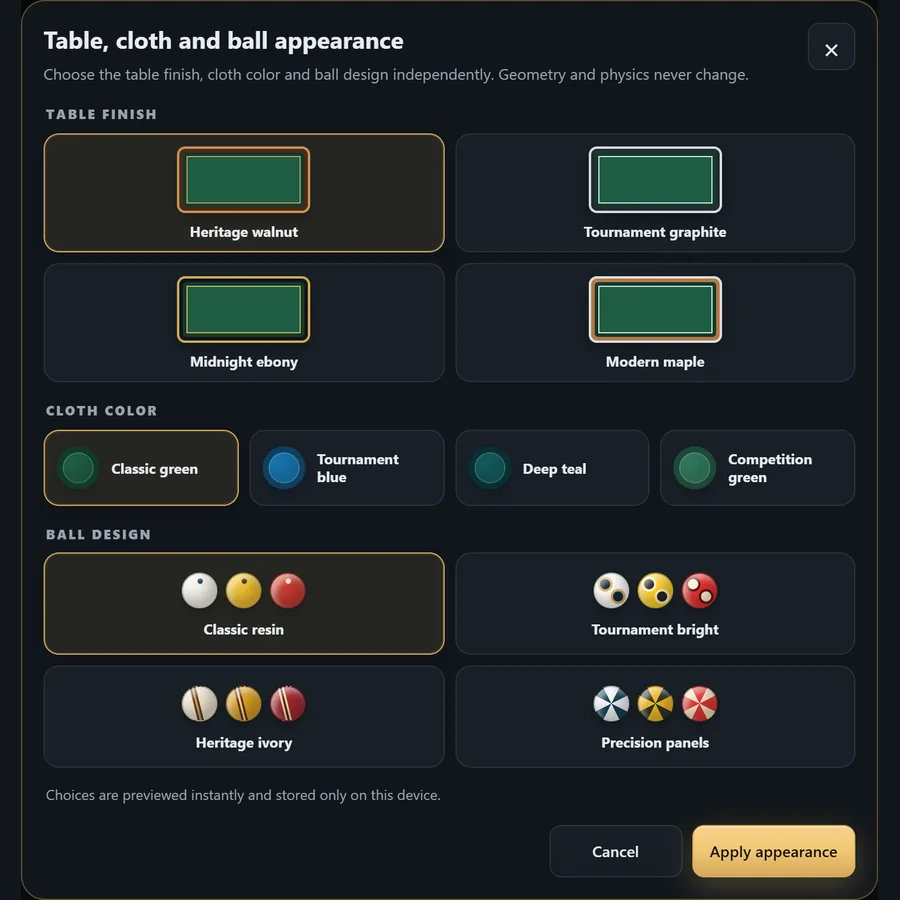
Personal and shareable Independent table finish, cloth and ball designs; 10 languages, light/dark themes, sound, local saves and share links.
08 Physics V3 laboratory — 3ball.app
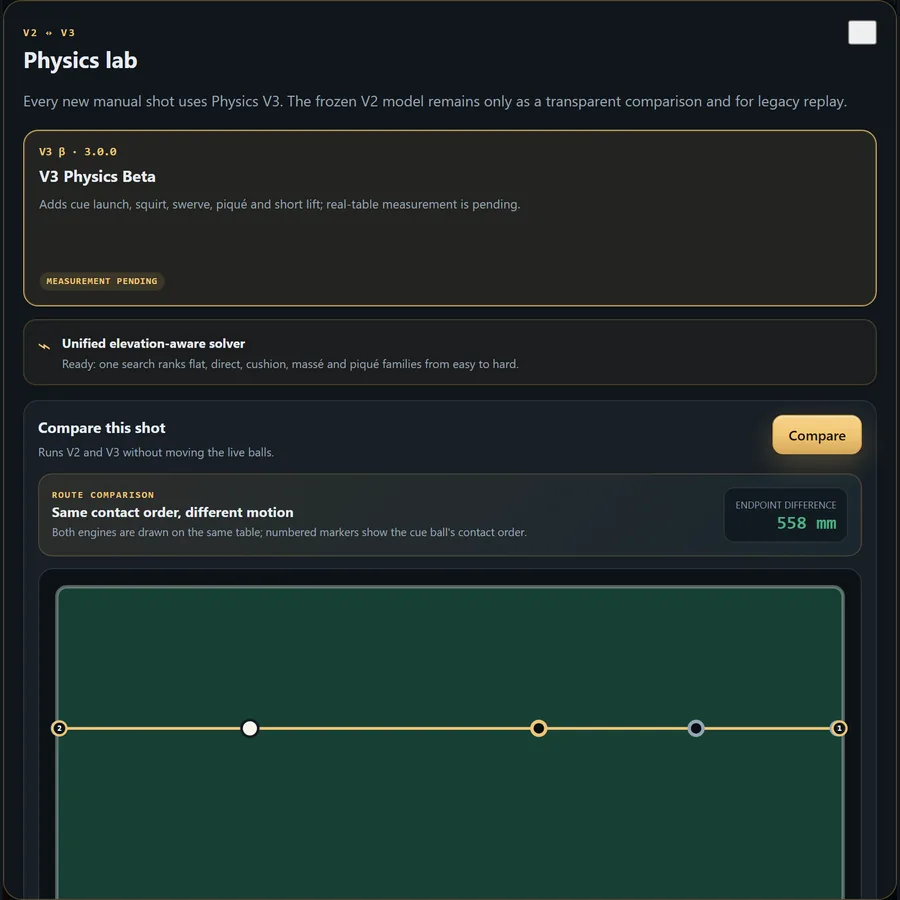
Physics V3 laboratory Every new shot uses Physics V3. The frozen V2 reference remains available only for transparent comparison and legacy replay; measurement status is disclosed.
Current workspace · 19.08.2026

Everything you can use today

A complete, dated feature map—not a concept list. Experimental physics is labelled, local tools stay local, and every control below is available in the running simulator.

Two rule modes

Switch between international three-cushion scoring and free carom without rebuilding the position.

Positions and table profiles

25 playable presets, random layouts, manual placement, undo/redo, standard dimensions and custom table size.

Local photo assistant

Classical vision suggests corners and balls on the device; review, edit or replace every point manually before transfer.

Physical stroke controls

Angle, power, side/top contact, cue elevation and a visible miscue boundary share one desktop/mobile contract.

Physics V3 laboratory

Every new shot uses Physics V3. The frozen V2 reference remains available only for transparent comparison and legacy replay; measurement status is disclosed.

Unified solution portfolio

One rule-aware search combines available stroke families, validates replay and ranks distinct routes from practical to risky.

Camera and training aids

Orbit, zoom, top/side/perspective views, route-assist levels, 5.5 system overlay and optional spin guidance.

Replay and history

Playback speed, scrubbing, event trace, undo/redo, shot history and JSON export support deliberate review.

Drills and results

Repeat a saved position, track manual attempts, finish a session and review streaks and coach-style prompts locally.

Personal and shareable

Independent table finish, cloth and ball designs; 10 languages, light/dark themes, sound, local saves and share links.

IV04 / 06
IV.See it in action

Watch three-cushion come alive in your browser

3-CUSHION CAROM SIMULATOR — 3ball.app 3ball
No account or install is required. WebGL2 is required; frame rate depends on the device, browser, viewport and scene. Optional PWA installation keeps one-tap access, but play remains online. — 3ball.app 3ball.app
Free to use · no account · Personal and shareable · 3ball.app 3ball3ball.app

  1. No account or install is required. WebGL2 is required; frame rate depends on the device, browser, viewport and scene. Optional PWA installation keeps one-tap access, but play remains online.
  2. Camera and training aids — Orbit, zoom, top/side/perspective views, route-assist levels, 5.5 system overlay and optional spin guidance.
  3. Local photo assistant — Classical vision suggests corners and balls on the device; review, edit or replace every point manually before transfer.
  4. Unified solution portfolio — One rule-aware search combines available stroke families, validates replay and ranks distinct routes from practical to risky.
  5. Physical stroke controls — Angle, power, side/top contact, cue elevation and a visible miscue boundary share one desktop/mobile contract.
  6. Replay and history — Playback speed, scrubbing, event trace, undo/redo, shot history and JSON export support deliberate review.
  7. Free to use · no account · Personal and shareable · 3ball.app
V05 / 06
V.Questions

Frequently asked

Is 3ball.app really free?

Yes — free to use, no signup, no paywall. Supported by optional, consent-based ads. By Setviva.

Does 3ball.app use AI?

No machine learning. One Physics V3 search follows the active three-cushion or free-carom rule, evaluates direct, cushion and elevated stroke families, removes duplicates and orders the portfolio from easy and stable to demanding and risky. Real-table measurement status remains clearly disclosed.

What browsers and devices work?

A modern browser with WebGL2 is required. Frame rate depends on the device, browser, viewport and scene complexity.

Can I install it on my phone?

Yes — 3ball.app is a Progressive Web App (PWA). Open it on your phone/tablet and tap "Add to Home Screen" in your browser menu.

Is photo-to-position alignment automated?

It is assisted, not automatic. Local classical vision suggests four corners and three balls; you must review and can edit every point before transfer. A full manual fallback is always available. No machine learning and no accuracy guarantee.

VI06 / 06